How to Collect Wedding Photos from Guests: 4 Methods Compared
Ten disposable cameras with prints cost around £250 in the UK, you wait five to nine working days for the photos, and photographers report that up to half of the cameras never make it back by the end of the night. A QR code collects every guest's phone photos in one album with no app and no login — Lane of Memories is a one-off £119 and shows the pictures live on the big screen during the party.
On this page
The photos from your wedding exist. They're just scattered across twenty different phones — and on film inside disposable cameras that may never make it back to the table by the end of the night. The question isn't whether your guests take photos. They do it all evening. The question is whether you ever get to see them.
Disposable cameras at weddings have had a proper revival, and it's easy to see why: they're nostalgic, tactile and good fun. But before you put one on every table, it's worth working out what they actually cost — and how many usable photos you're left with once the developing is paid for.
So how do you collect wedding photos from guests without ending up with twenty half-full camera rolls? We've costed all four common methods: disposable cameras, photo-sharing apps, a shared folder or hashtag, and QR-code sharing. Here's the full breakdown, with sources, so you can choose with your eyes open.
How to collect wedding photos from guests: four methods at a glance
Method | Cost (approx.) | Guests need | When you see the photos |
|---|---|---|---|
Disposable cameras | ~£250 for 10 with prints | Nothing — just click | 5–9 working days later |
Photo-sharing app | Free app, downloads cost extra | To download an app | Ongoing in the app |
Shared folder / hashtag | Free | The right app or account | Ongoing, but messy |
QR sharing (Lane of Memories) | £119 — one-off | Just their phone camera | Live on the big screen |
The figures in the table are backed up with sources in the sections below. Let's start with the camera that started it all.
How much do disposable cameras at a wedding really cost?
In the UK the camera and the developing often come bundled. Max Spielmann's own WOW disposable camera is £24.99, with 27 exposures, a built-in flash and free in-store 6x4" print developing included. Ten of those is about £250, prints in hand — before you pay anything extra for digital copies.
Buy cameras without developing bundled and the lab bill lands separately. Boots develops a 35mm or disposable film from £12.99 for up to 27 6x4" prints, with a £3.99 CD add-on for digital copies and a nine-working-day turnaround. Max Spielmann charges £14.50 to develop 24 exposures with prints, or £8.00 for digital-only, returned within five working days.
So the maths for a typical ten-camera set-up looks like this:
- 10 WOW cameras at £24.99: £249.90 — with in-store prints included
- Digital copies on top: from £3.99 per film at Boots
- Per exposure: about 93p — before you know if a single shot came out
With 27 exposures per camera that's a maximum of 270 shots. And as we'll see, far from all of them become photos you'll actually want to keep.
How many disposable cameras do you need for 50–60 guests?
Wedding photography studio Aesthetic Sabotage recommends 8–10 cameras for a 100-guest wedding. For 50 to 60 guests that's 5 to 6 cameras — roughly £125 to £150 at UK prices with prints included, and a maximum of 135 to 162 exposures to spread across the whole night.
Are disposable cameras at weddings worth it? What the photos look like
Here's the part few people mention before the big day. That same studio, Aesthetic Sabotage, reports that 30 to 50 per cent of cameras never make it back to you by the end of the night — they go home in bags and jacket pockets. QR service Pix.wedding says, from its own experience, that 2 to 4 cameras go missing at the average wedding, and that 20 to 30 per cent of indoor evening shots come out too dark or too blurry to use.
Wedding photographer David Cruz describes one couple who set out ten cameras with 270 exposures and ended up with roughly ten usable photos. His main gripe: the lab charges full price whether one photo or all 27 came out, and merry guests forget to switch the flash on.
The flash really is the whole game. As Aesthetic Sabotage puts it, indoor shots without flash come out underexposed, and dance-floor shots are either dark or a blur. If you're using disposable cameras, write "please use the flash" right on the table card.
Even so, the disposable camera deserves its due: it's a lovely activity in itself, the grainy film look is genuinely charming, and a developed print is a physical keepsake no cloud storage can replace. The problem isn't the camera — it's making it your entire plan for collecting the photos.
Wedding photo sharing app UK: free is rarely free
Next up are dedicated wedding apps where guests upload photos. The best known, Wedbox, has an app that's free for everyone before, during and after the event — but full-quality downloads cost $19.99 for one package or $49.99 for several. Files are stored free for only two months after the wedding; after that it's $2.50 a month.
The bigger hurdle, though, is the app itself. UK photo-sharing company Posable, which sells guest photo tools of its own, concedes in its review that couples report only a small percentage of guests actually contribute to app-based galleries. Your 74-year-old auntie isn't downloading an app halfway through the main course — and, honestly, nor is the group of mates on table nine.
Shared folder or hashtag: simple but messy
The free option is a shared Google Photos folder or an Instagram hashtag. It costs nothing — genuinely free wedding photo sharing with no app — but it has two weaknesses. That same Posable review describes shared Google Photos albums as disorganised when lots of people upload — everything lands in one long stream with no curation. And a hashtag needs guests to post publicly on their own account, which many won't do, then leaves you to hunt down and save each photo afterwards.
A shared folder works fine as a backup, but as your main method it gives you neither order, participation nor anything to show off during the party itself.
QR code for wedding photos: scan, upload, done
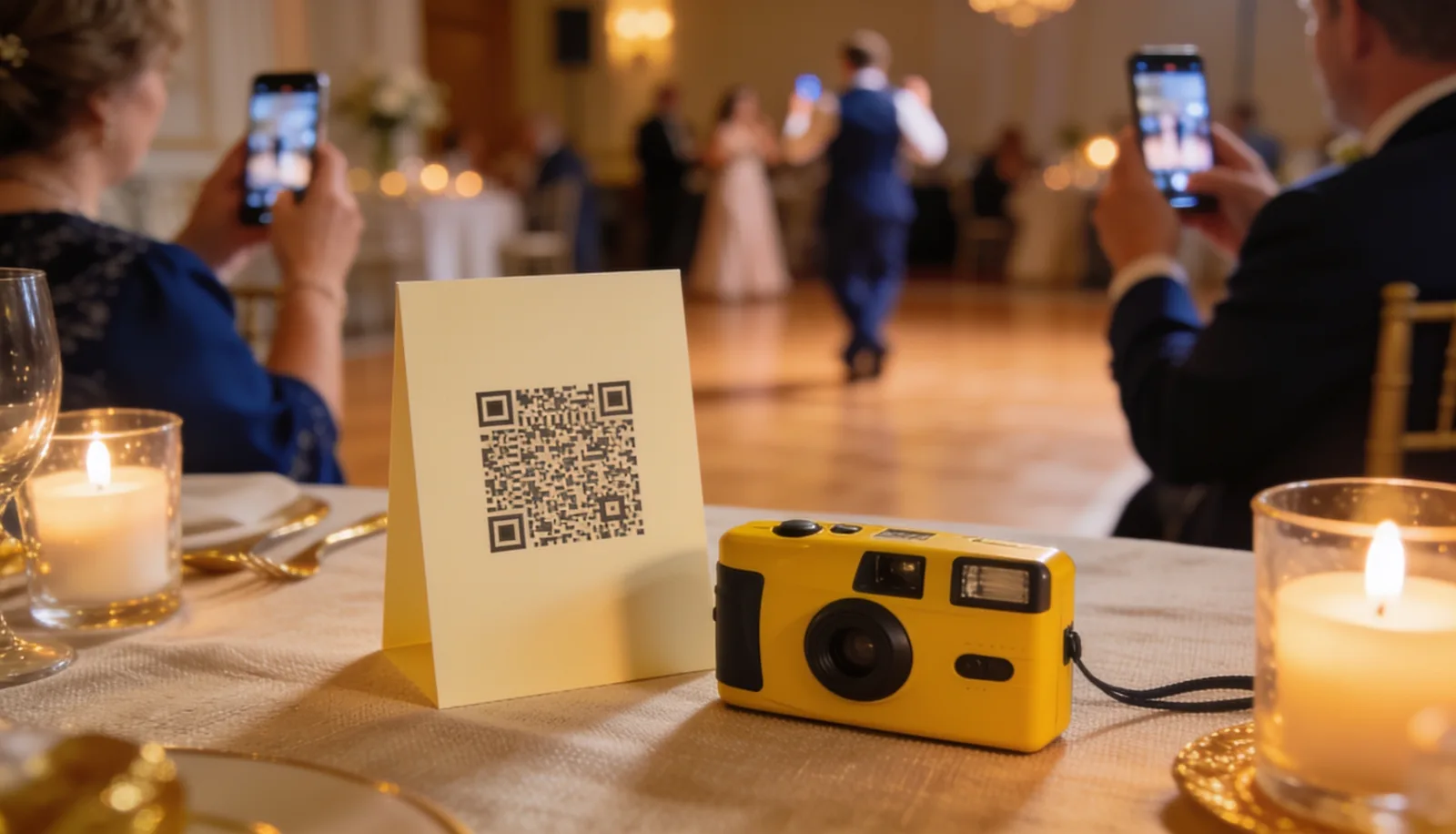
The fourth method removes the barrier entirely. Guests open their phone camera, point it at a QR code on the table and follow the link straight to a shared album — exactly as wedding portal The Knot describes the method. No app, no account, no hashtag. As a disposable camera alternative for a wedding, it's the one older and younger guests can both manage in a couple of seconds. The Knot recommends showing the code on signage, television screens and the wedding programme, and names services such as Wedibox and Guestpix in this category.
The prices tend to undercut the camera bundles. GuestPix runs from $49 (Classic) to $119 (Signature Bundle) as a one-off, and Wedibox has a free tier capped at 50 uploads, then paid plans at $49 and $79 — both with no app or login for guests. Participation isn't perfect here either: Pix.wedding reports 35 to 45 per cent of guests take part from its own figures when the code is prominently placed — but every photo is sharp, digital and available the same night.
Lane of Memories: photos straight to the big screen
Lane of Memories is our take on the QR method, with one difference guests notice straight away: the photos don't disappear into a shared wedding album you look at afterwards — they pop up in a live slideshow on the big screen while the party is happening. Guests scan one code, with no app and no login, and can share photos and write greetings that together become a digital guest book from the evening.
The album stays open for 30 days after the event, with full-resolution download of every photo, and a ready-made printable card template with the QR code is included to put on the tables. The price is £119 as a one-off per event — no subscription, no paywall in front of your own photos. By comparison, ten disposable cameras with prints came to about £250, with a five-to-nine-working-day wait.
The numbers at a glance
Everything one QR code gives you
No app, no login
Guests just scan the QR code with their phone camera and they're straight in.
Live on the big screen
Photos and greetings appear in a live slideshow while the party is happening, not the next day.
Song requests via Spotify
Guests can request tracks through the very same code — no extra app.
A personalised song
Answers to a few simple questions are automatically turned into a personalised song, performed karaoke-style on screen.
How to set up QR photo sharing: step by step
Setting up wedding photo sharing with a QR code
Create your event
Choose a service and set up your wedding. The QR code is generated automatically — you don't make it yourself.
Print cards for the tables
Use a ready-made template (included with Lane of Memories) and print one card per table, plus a few spares.
Test with your own phones
Scan the code with two or three different phones and upload a test photo, so you know everything works.
Have the toastmaster say it out loud
A quick line in the welcome — "scan the code on your table and share your photos" — lifts participation more than any sign.
Download the album afterwards
With Lane of Memories the album stays open for 30 days, with full-resolution download of every photo.
Where should you put the QR code at your wedding?
Placement decides participation. The Knot recommends signage, television screens and the wedding programme, and notes that ready-made QR sign templates cost around $4 to $16 on Etsy, Canva and Zazzle — with Lane of Memories the template is included. Here are the spots that work best:
The QR code's best placements
One code, all night
What surprises many couples is that the QR code can do far more than collect photos. With Lane of Memories, the same code runs the whole evening's entertainment: guests can play a quiz about the newlyweds with a live leaderboard on the big screen, request songs via Spotify, and answer personal questions that are automatically turned into a personalised song — performed karaoke-style on screen towards the end of the night.
And if you really want to get the photos flowing, you can turn collecting them into a game: a photo scavenger hunt with specific missions for your guests means the shots come from all over the room, not just from the table nearest the dance floor.

The lights dip
The music lifts a notch, and the first photo of the night appears on the big screen.
Everyone sees the same moment
A shot from the dance floor, shared thirty seconds ago by a guest on table six.
The greetings scroll past
Between the photos, short messages drift in from the ones who never quite got the mic for a speech.
Which method should you choose?
The honest answer is that it depends on what you're after. Here's our quick rule of thumb:
- Choose disposable cameras if the analogue look is the whole point, the budget can take around £250, and you can wait a week or so for the results.
- Choose a photo-sharing app if your guest list is young and digital, and you don't need to show the photos during the party.
- Choose a shared folder if the budget is nil and you can live with a bit of mess — and keep it as a backup anyway.
- Choose QR sharing if every guest should be able to join in with no app, you want to see the photos on the big screen the same night, and you want everything in one album afterwards.
Whatever you land on: decide before the invitations go out, test the solution in good time, and give the toastmaster the job of reminding guests about it. The photos from your wedding will be taken either way — the difference is whether they end up with you, or stay stranded on twenty phones and three lost cameras.
We're rooting for you — and for all the wonky, joyful, unfiltered photos your guests are about to take.
Sources
- Max Spielmann — WOW disposable camera price and free developing
- Boots Photo — in-store film developing prices
- Max Spielmann — disposable camera developing prices
- Aesthetic Sabotage — return rate and number of cameras
- Pix.wedding — lost cameras, dark shots, QR participation
- David Cruz — usable photos per set of cameras
- Wedbox — app pricing and storage window
- Posable — participation in app-based galleries
- GuestPix — QR gallery pricing
- Wedibox — pricing and free-tier limit
- The Knot — the QR method, signage and templates
Frequently asked questions
How do I get wedding photos from my guests?
The four common methods are disposable cameras, a photo-sharing app, a shared folder or hashtag, and QR-code sharing. QR sharing has the lowest barrier because guests simply scan a code with their phone camera — no app and no login. With Lane of Memories the photos land in one shared album and appear at the same time in a live slideshow on the big screen.
How does a QR code for wedding photos work?
Guests open their phone camera, point it at the code and follow the link to a shared album, as wedding portal The Knot describes it. You don't create the code yourself — the service generates a unique one for your event. With Lane of Memories it's one code with no app or login, and a ready-made printable card template with the QR code is included for the tables.
Do guests need to download an app to share photos?
With QR services such as Lane of Memories, GuestPix and Wedibox, no — guests just scan and upload. App-based galleries like Wedbox do require a download, and UK reviewer Posable notes that couples report only a small percentage of guests actually contribute when a download is needed. That's why a scan-and-go QR code tends to gather far more photos.
Are disposable cameras at weddings worth it?
They have real charm, but do the maths first. Ten cameras with prints run to about £250 in the UK, with a five-to-nine-working-day wait, and studio Aesthetic Sabotage reports 30 to 50 per cent of cameras never make it back at the end of the night. Pix.wedding finds 20 to 30 per cent of indoor evening shots come out unusable. They work best as a fun extra alongside a QR code, not as the whole plan.
Where should I put the QR code at my wedding?
Put a card on every table, and again at the entrance and the bar where people are waiting with a phone in hand. Add the cake table, any photo backdrop and the order of service. The Knot also recommends signage, television screens and the wedding programme — the more often guests see the code, the more photos you get.
Related articles

Wedding Song Requests From Guests: The Complete Guide
A practical guide to wedding music: building the playlist, choosing your first dance, and collecting song requests from guests without chaos at the DJ booth.
Wedding Speech Order: Who Speaks When (Full Guide)
Who speaks when at a British wedding, and how long should each speech run? Here's the classic order, why many hosts now put speeches before the meal, and a running order to copy straight into your big day.
Wedding MC Duties: The Complete Toastmaster Guide
What a wedding MC actually does, how to build a run sheet from welcome to send-off, the rookie mistakes to avoid, and what a UK toastmaster costs if you'd rather hire one.